
Overview
I have experience in a variety of areas in information technology from my diverse undergraduate studies in computing & information including programming, web design and development, database development, and interaction design. I am currently studying to specialize in cybersecurity at Carnegie Mellon University. Below you will find some of the recent projects I am proudest to have worked on.
Internet Archive Cyber Attacks 2024 Incident Analysis Presentation
This presentation breaks down the recent string of cyber attacks against the Internet Archive, the largest online collection of media and other digital material. In the presentation, I analyze the types of attacks that took place and outline potential solutions to prevent future attacks.
Web Design- WCGSA Oral History Digital Archive Project
I was privileged to have the opportunity to volunteer on a team to help create a digital archive for the Washington County Gay Straight Alliance (WCGSA)’s ongoing oral history project to add to their existing website. Over the course of the project, I worked with my group to evaluate the clients’ needs for the archive, explore possible solutions for them, prototype and test design options, create a tutorial document to guide them through using our system, and ultimately implement the design into their WordPress website. You can view the website page I helped to create by clicking the button below.
Information Security- Cross-Device Tracking and Privacy
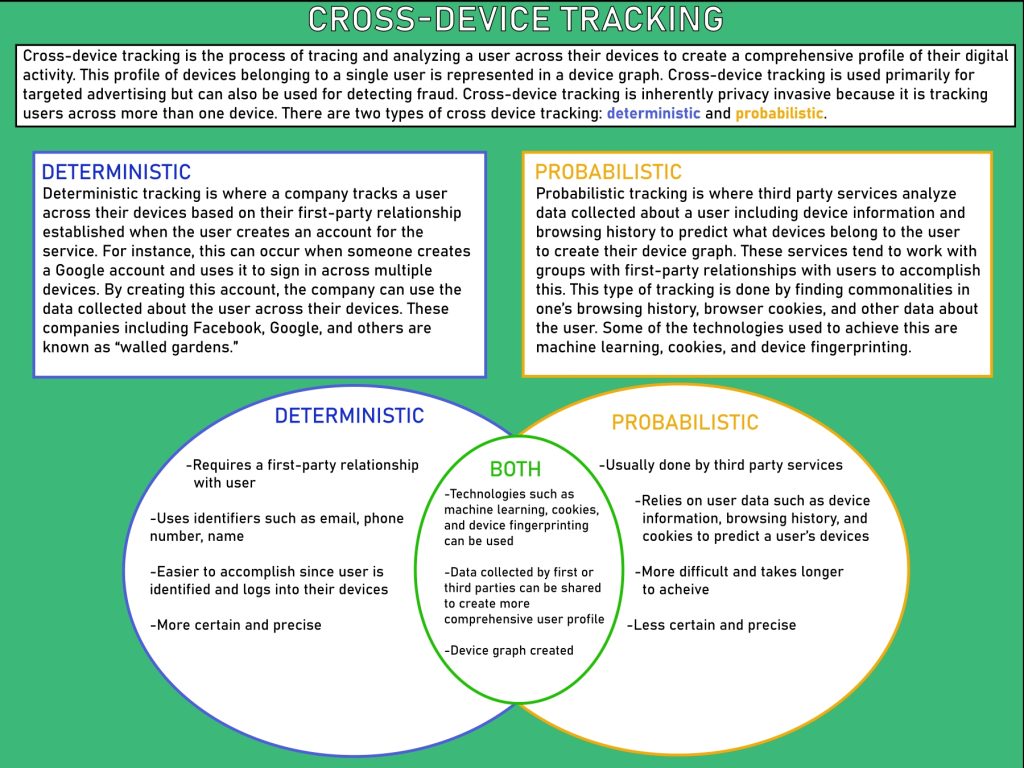
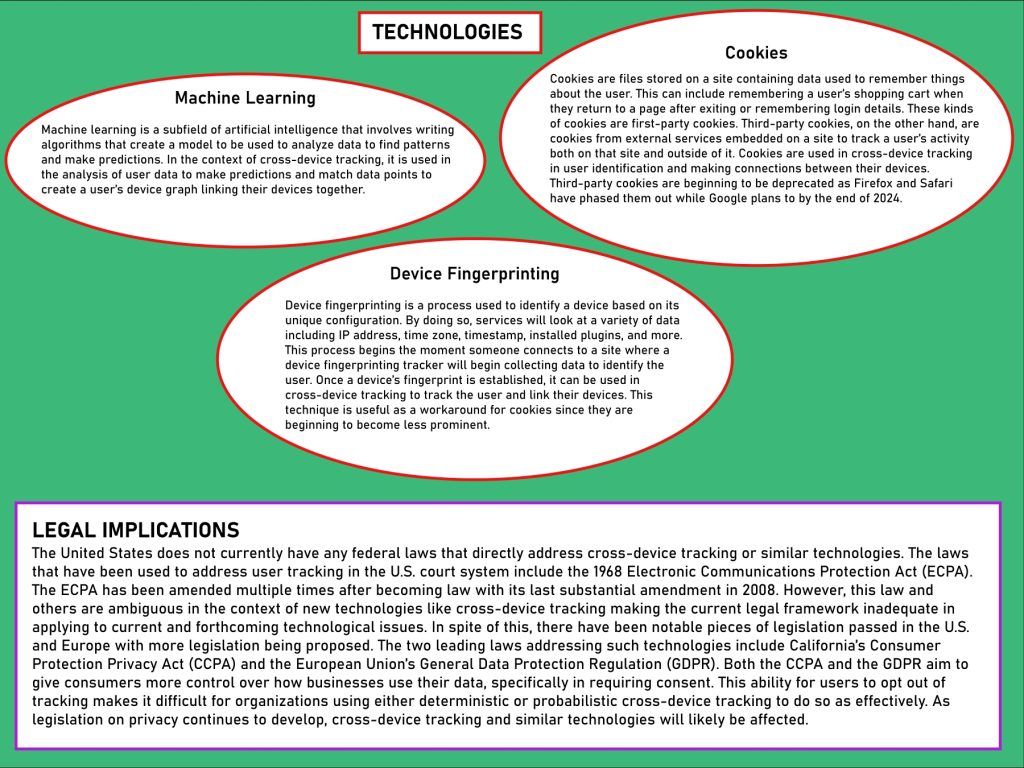
In Spring 2024, I conducted scholarly research on cross-device tracking from a technical and social perspective to understand its implications for user privacy. As deliverables, I created a set of information graphics concisely illustrating my key findings as well as a comprehensive essay analyzing how this widely used technology poses unaddressed privacy concerns for users. Below you can find the information graphics I made and a short summary of what I found to learn more.
Summary: Cross-device tracking is the process of tracing and analyzing a user across their devices to create a comprehensive profile of their digital activity. It is usually used for targeted advertising but can serve other purposes like detecting fraud. The two types of cross-device tracking are deterministic and probabilistic. Deterministic tracking is where a company tracks a user across their devices based on their first-party relationship established when the user creates an account for the service (i.e. Google). Probabilistic tracking is where third-party services analyze data collected about a user including device information and browsing history to predict what devices belong to the user to create their device graph. The technologies used to achieve cross-device tracking are machine learning, cookies, and device fingerprinting. Cross-device tracking is inherently invasive to one’s privacy and poses ethical and legal issues that are currently unresolved due to lack of legislation addressing the issue.
Data Visualization- Gender and Race Inequality in the Film Industry
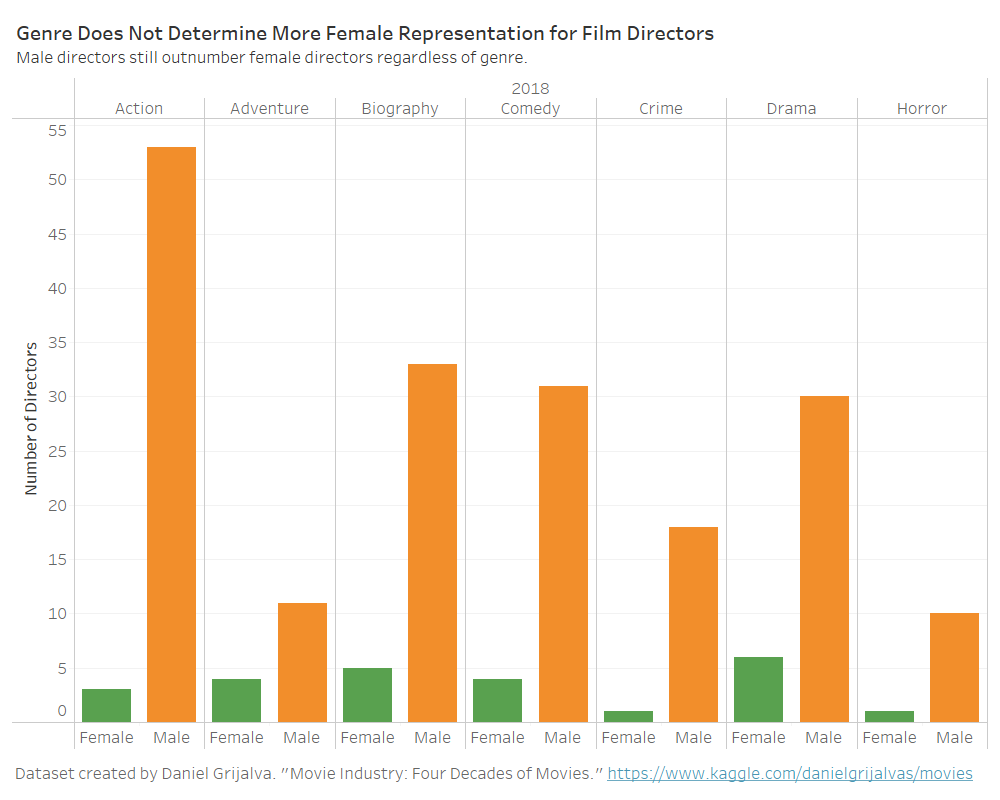
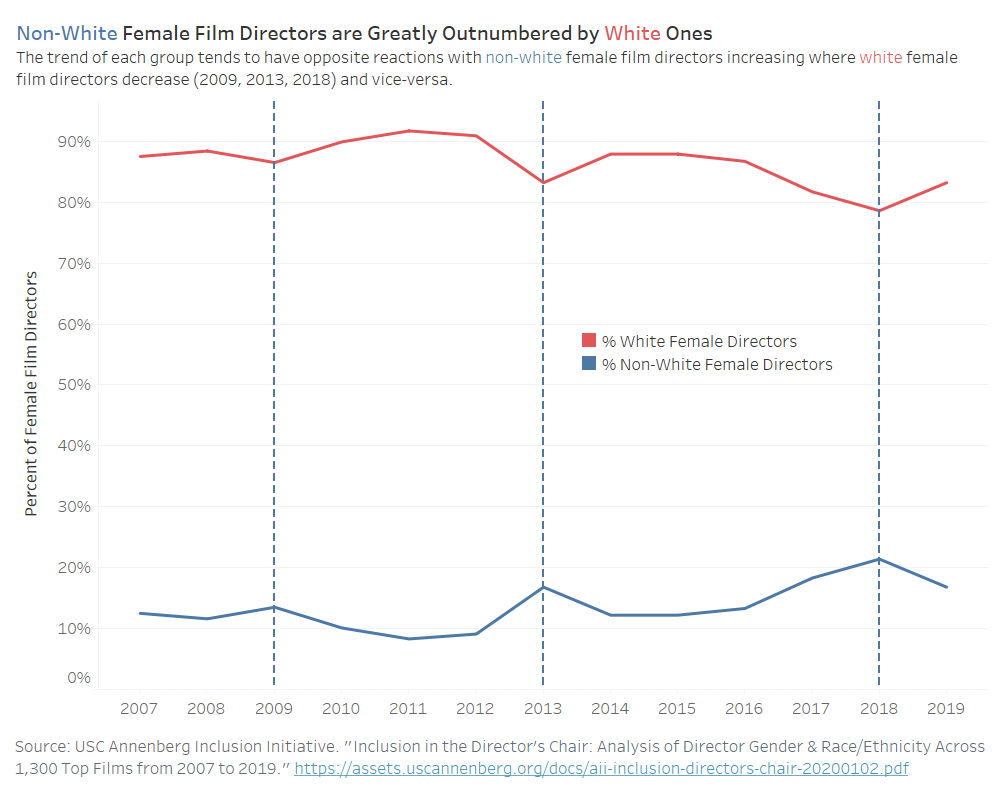
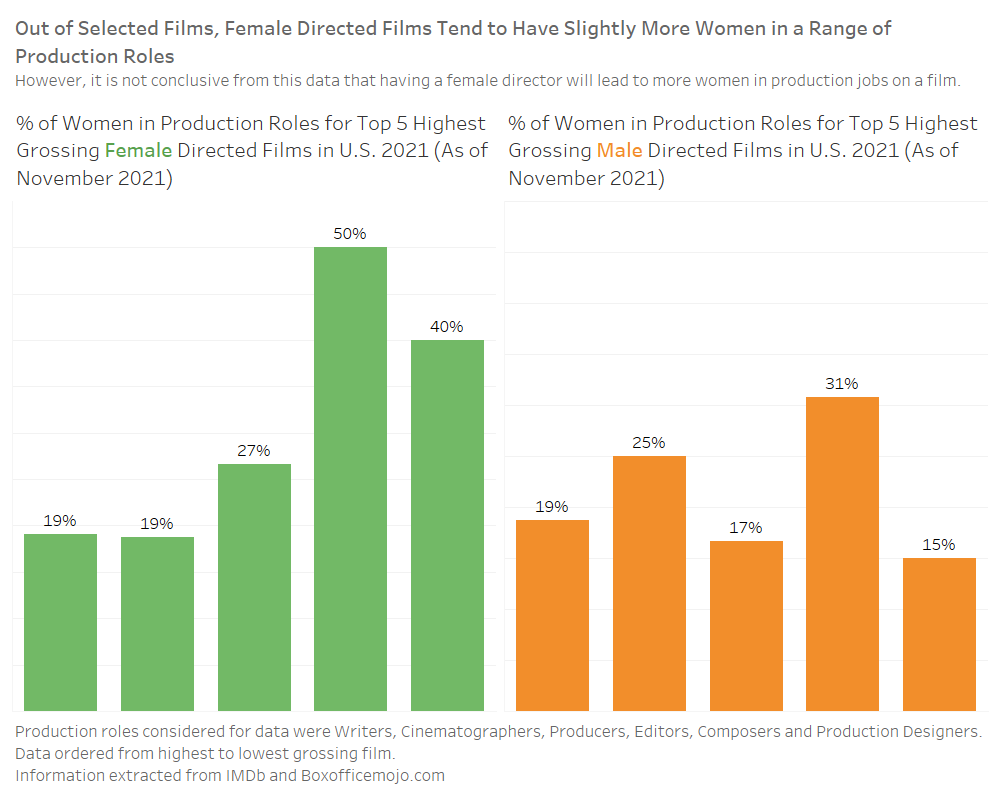
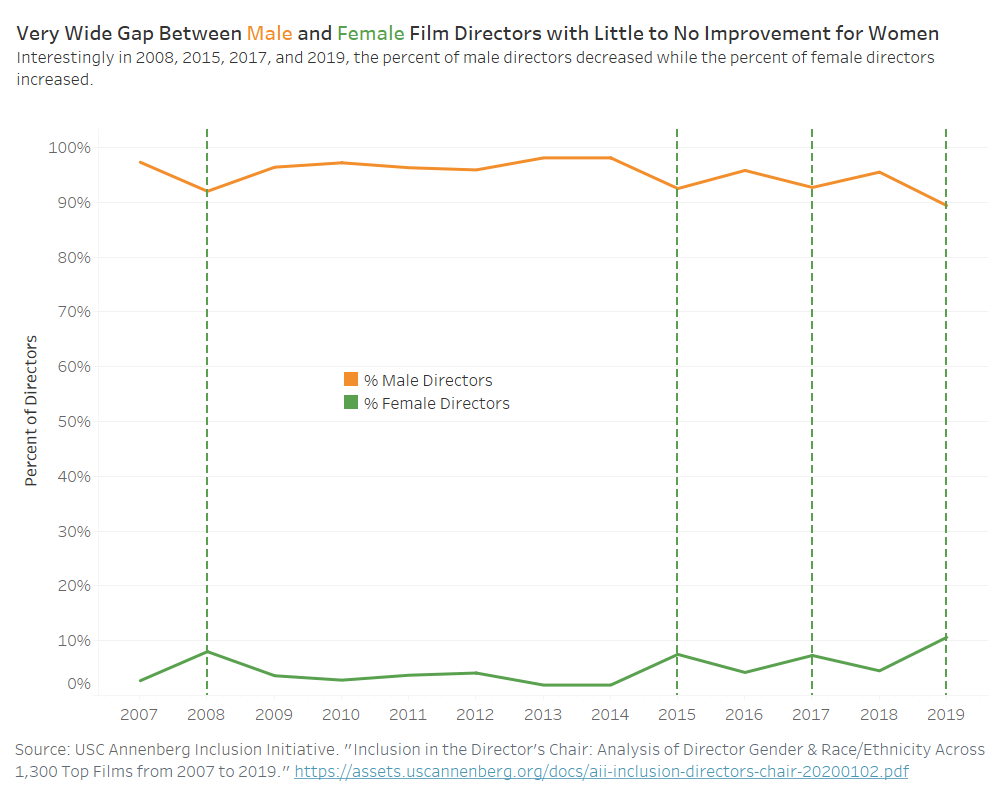
For this project, I researched gender and race inequity in the American film industry to create a set of data visualizations that told an informative story with the data I collected. This involved compiling, cleansing, and analyzing the quantitative data I found on this topic. This data centered around the demographics of those in crew roles in American films (i.e. director, editor) in the last few decades. After properly cleansing and organizing the limited data I could find, I created the visualizations using the software Tableau to tell a cohesive, understandable, and compelling story on this issue. Below you’ll find each of the visualizations I created for this project.

Interaction Design- College Visit App
Description
For this project, I worked on a small team to develop an app for college visits. To accomplish this, I worked with my partner to research user needs in this demographic, develop a persona to fit our representative user, test a potential UI design with a paper prototype, and ultimately create an interactive but not entirely functional digital prototype in Axure. Below are some of the different components I created for this project.
Persona
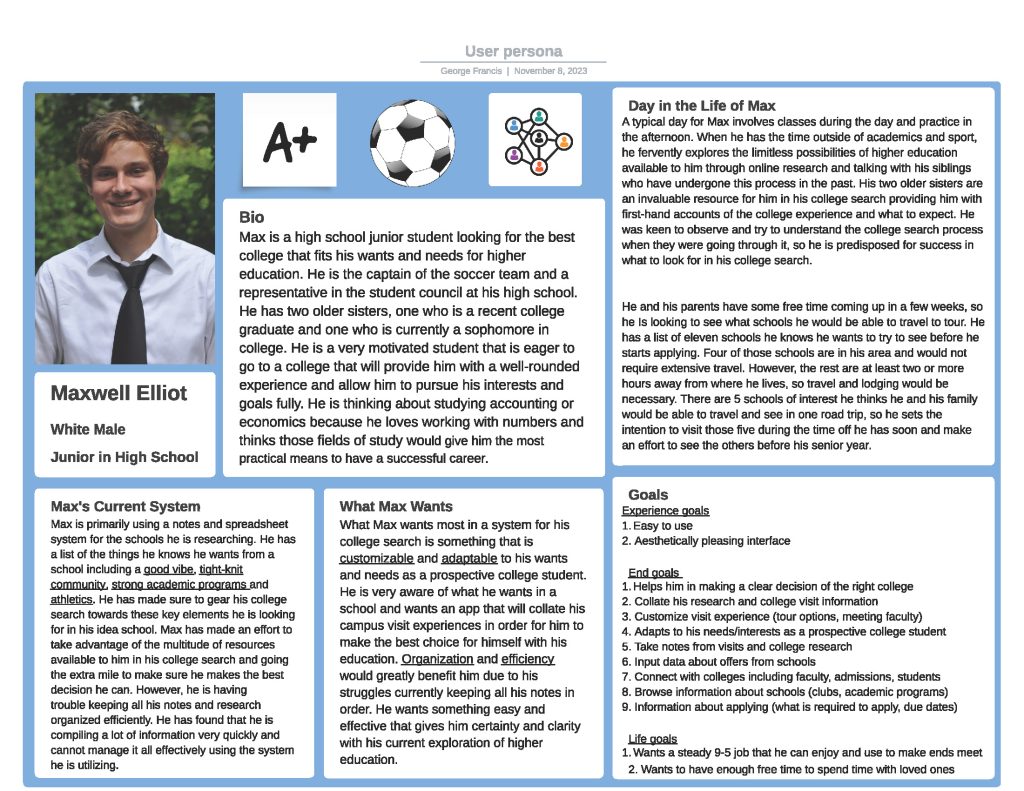
After researching the project’s topic including possible user demographics, I created the persona below of a potential user for the app. This persona is representative of an archetypal user looking for the same needs in functionality and usability that most users of the app would look for. The persona was useful as a reference point when further developing the UI so that the hypothetical needs were met.
Paper Prototype
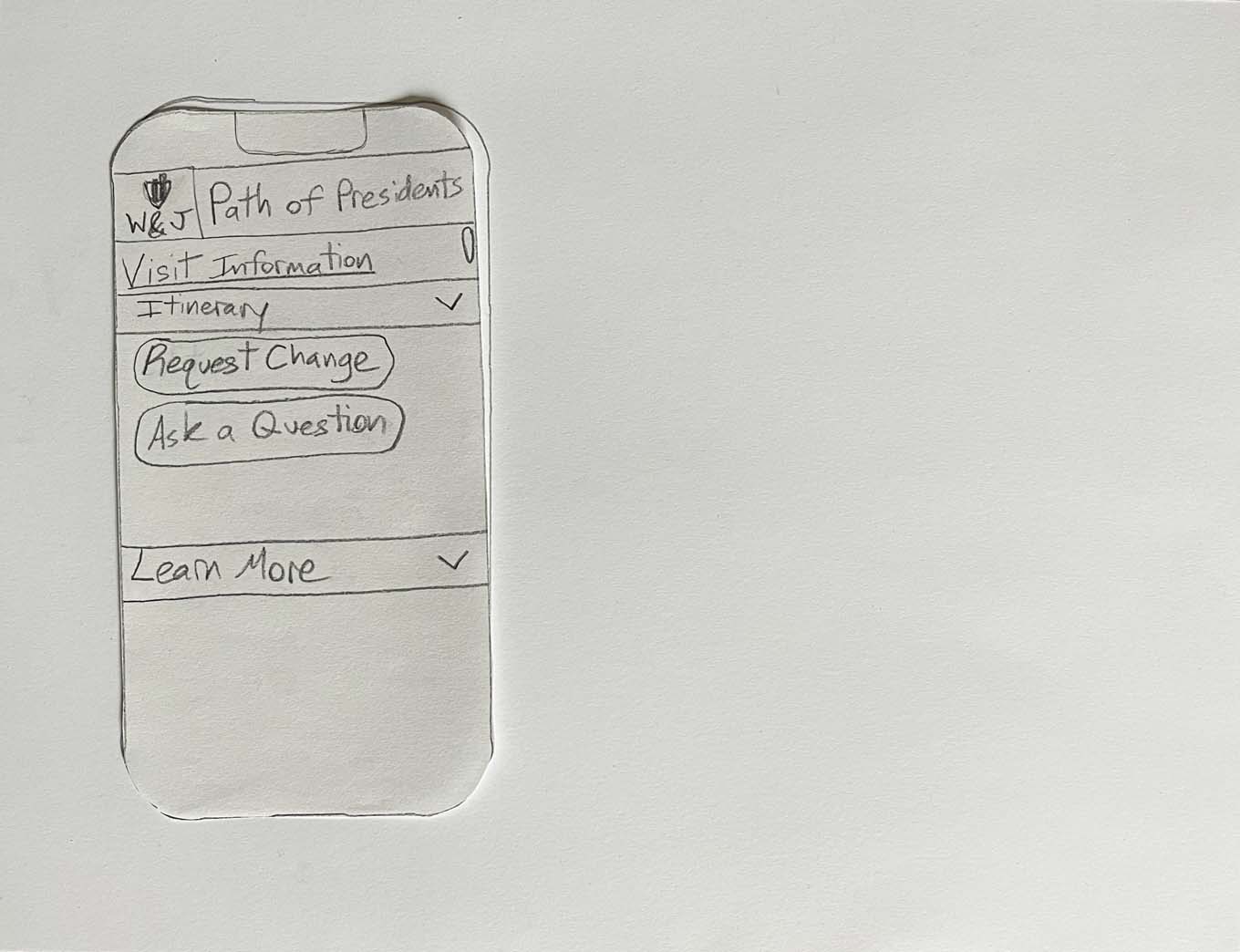
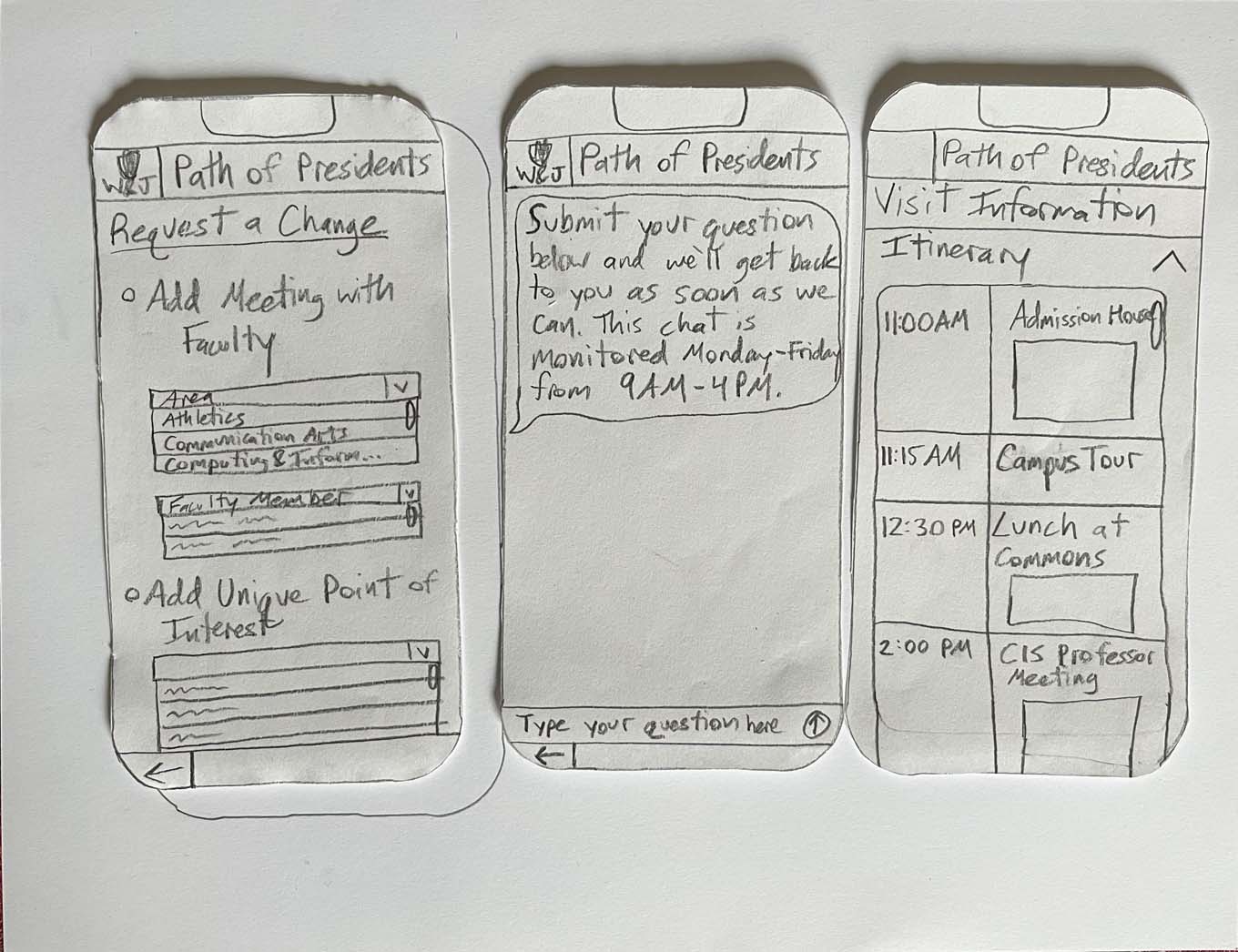
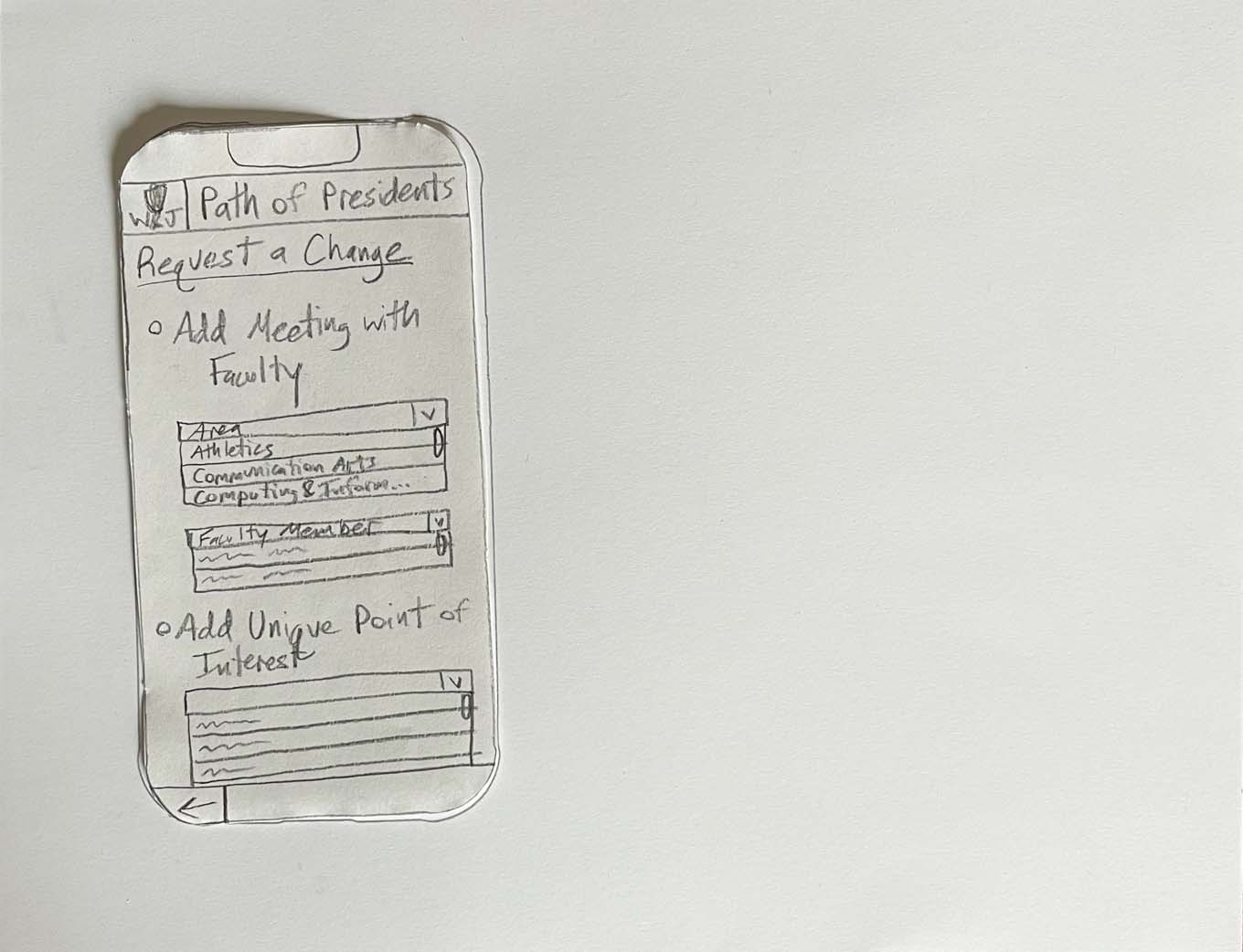
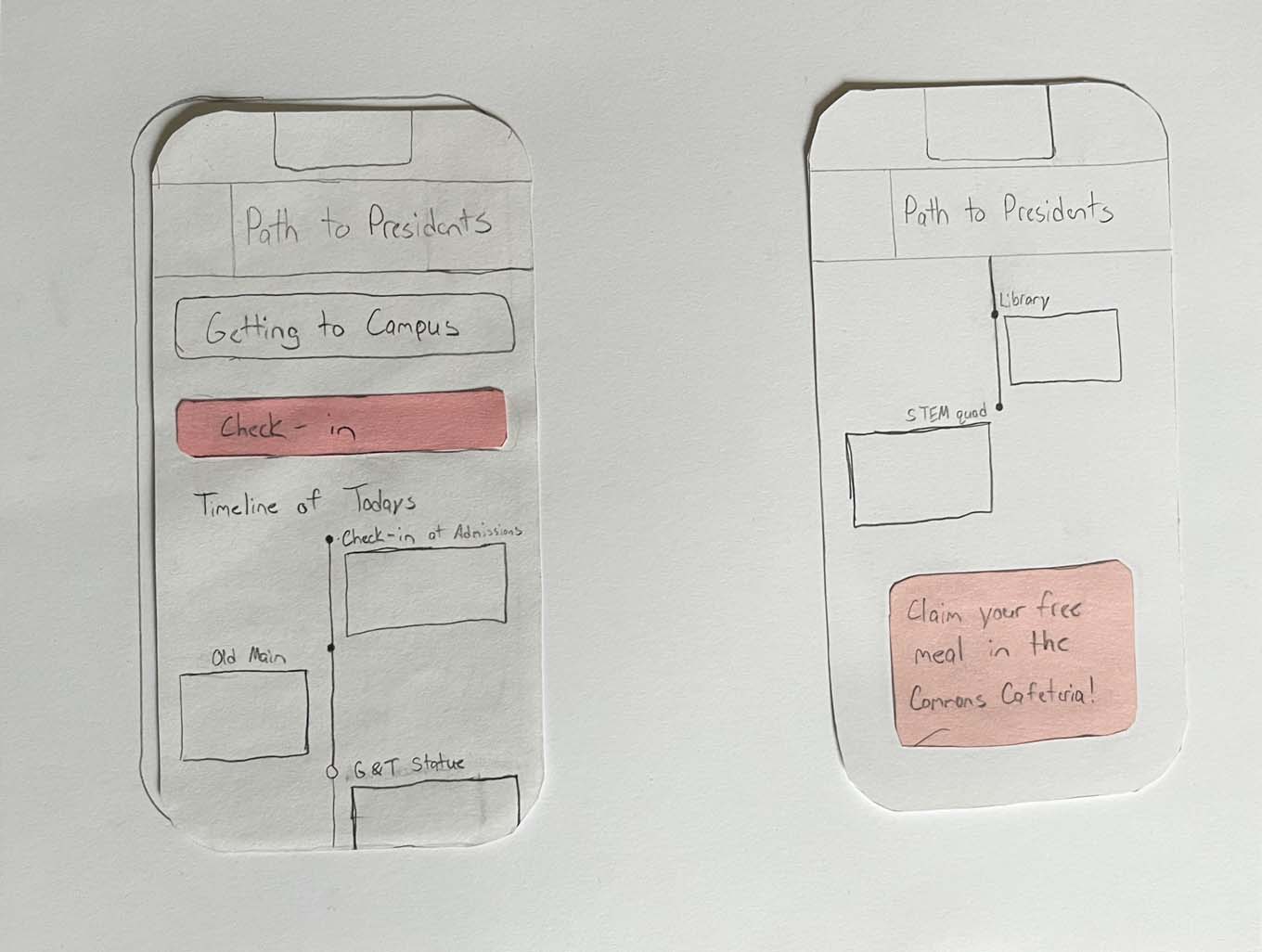
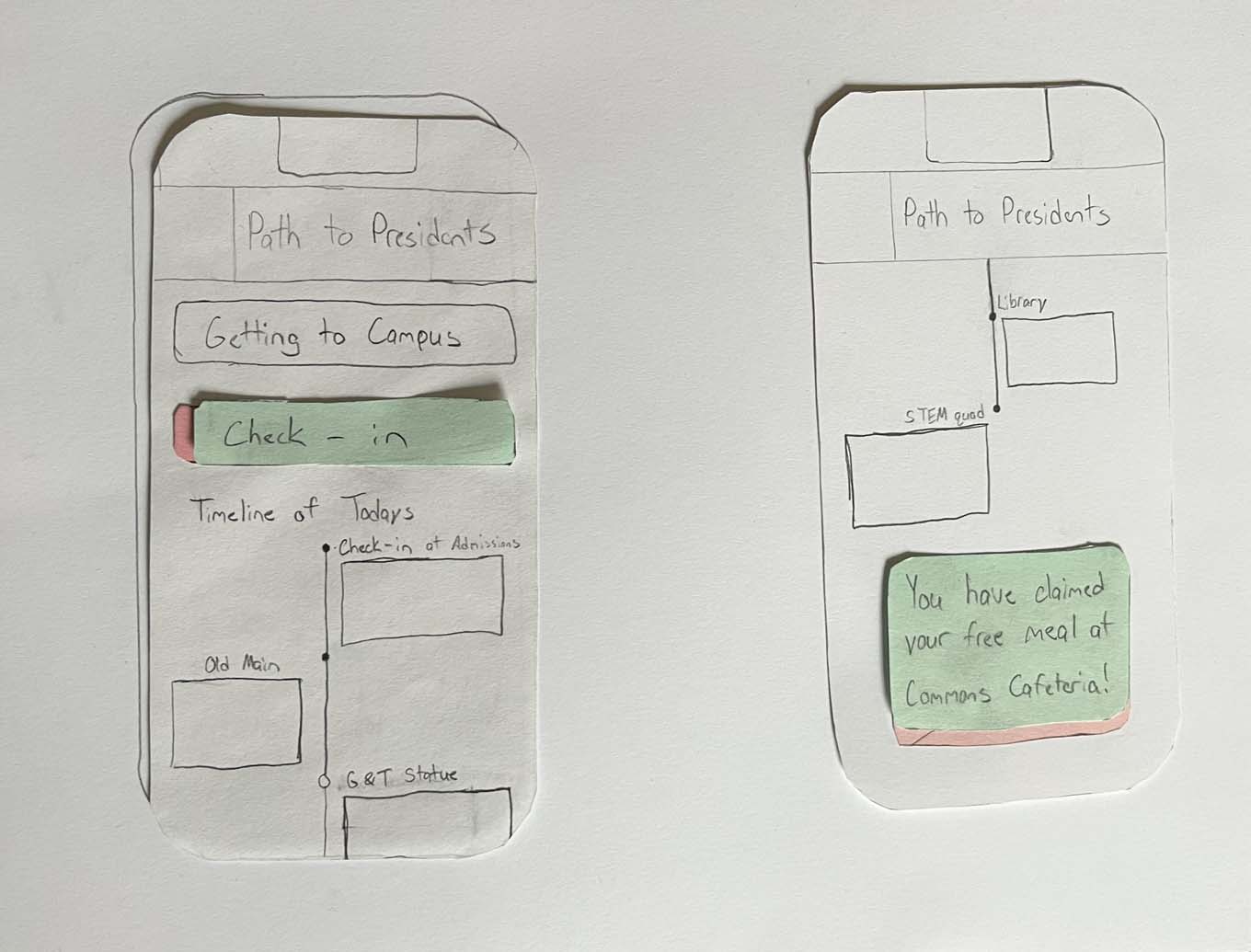
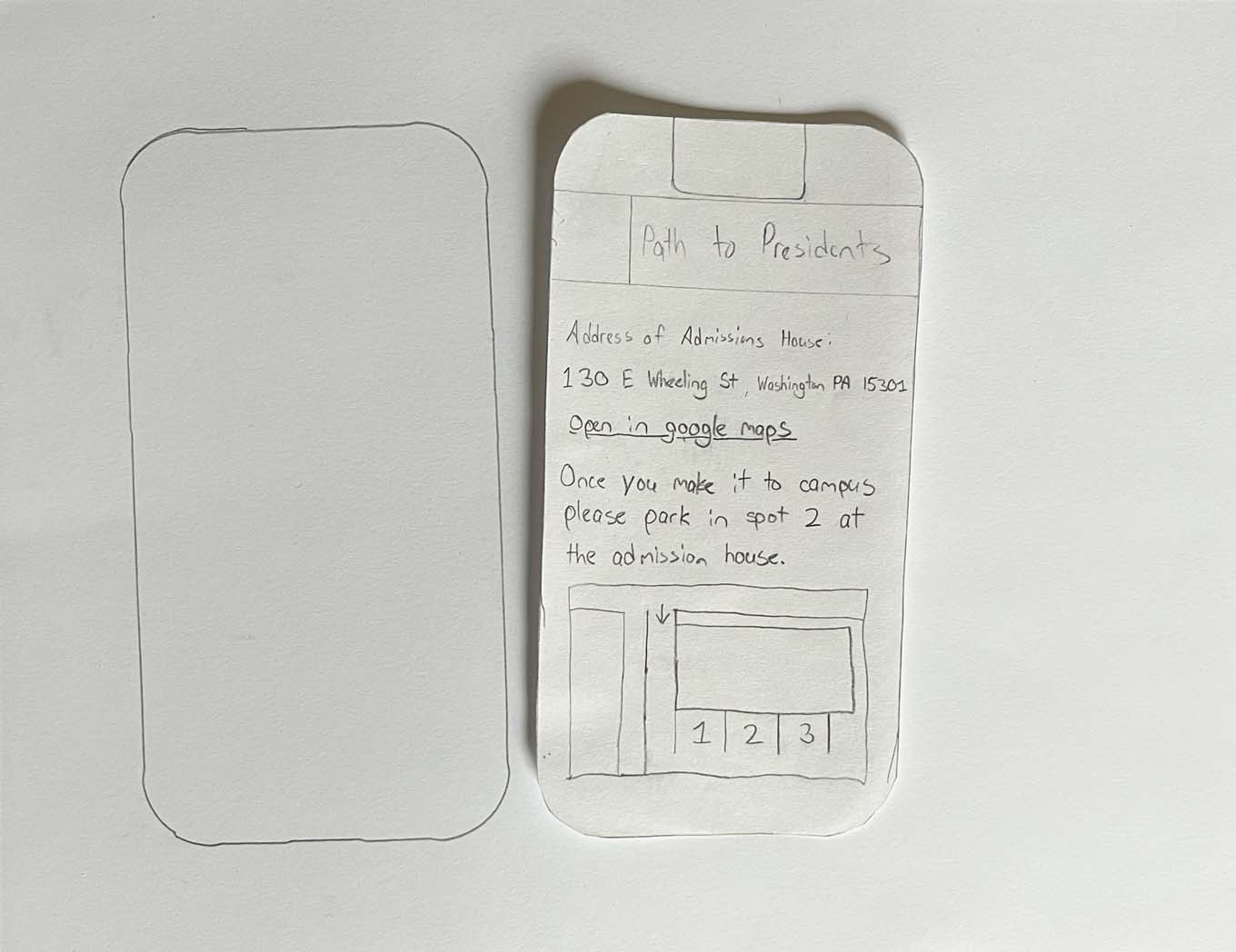
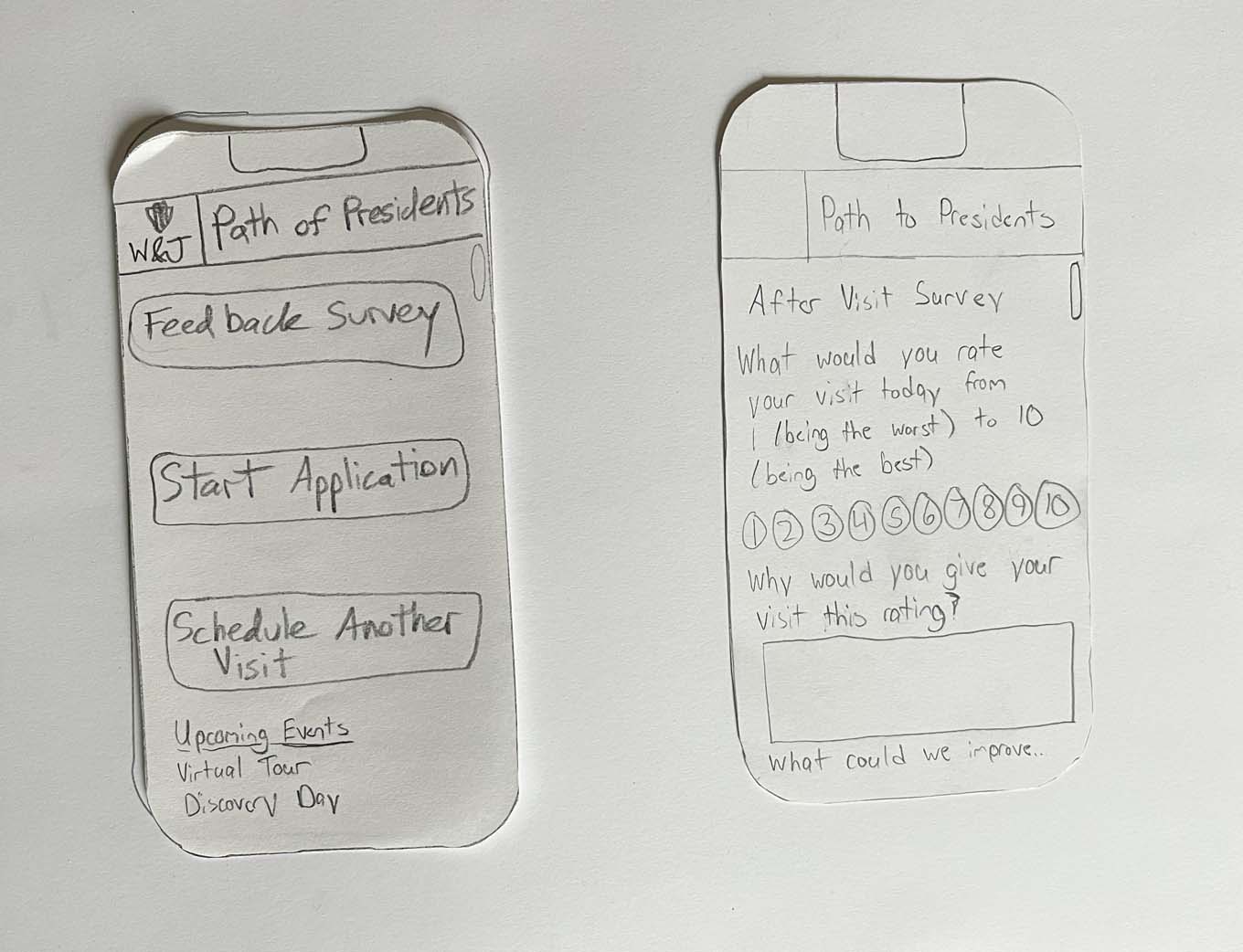
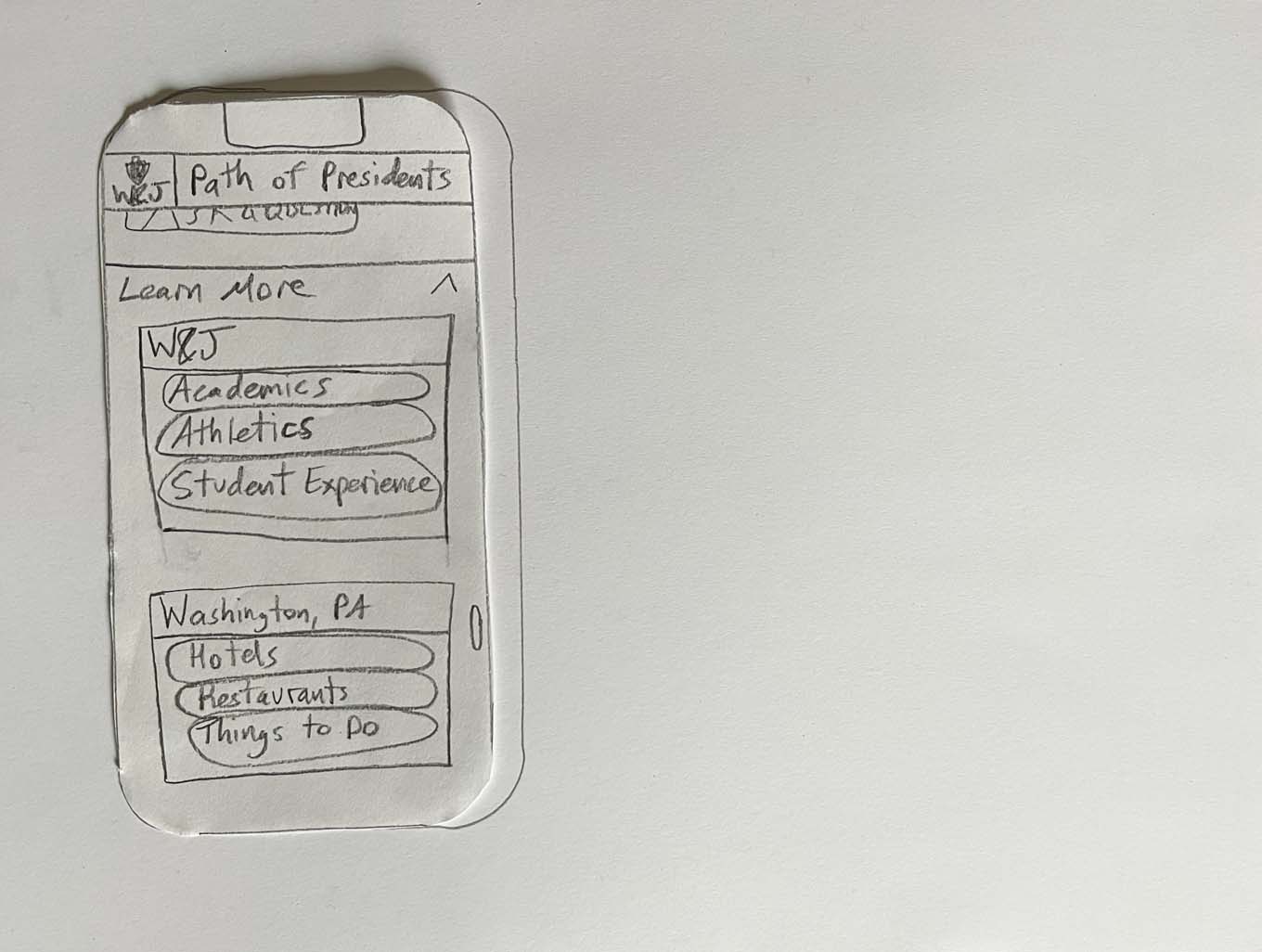
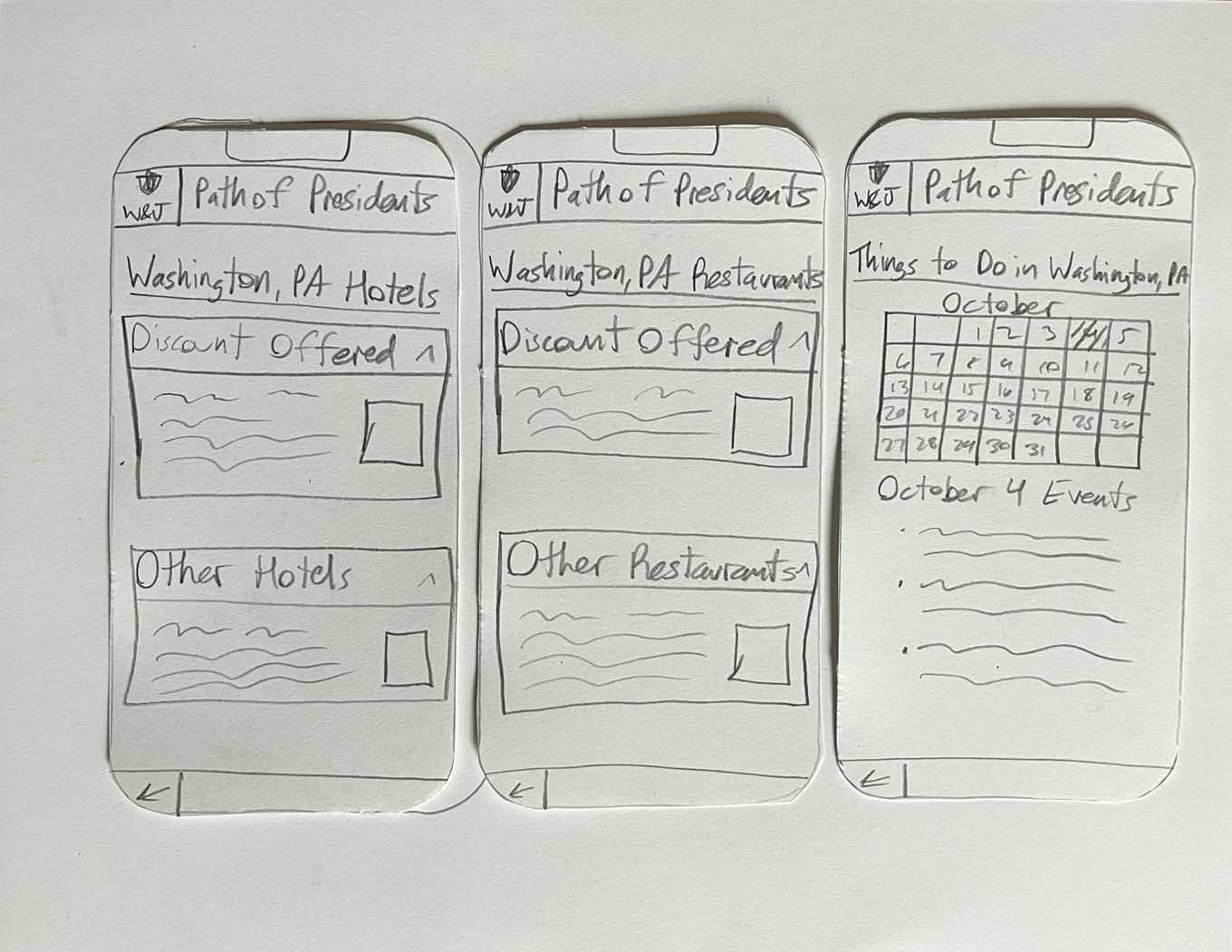
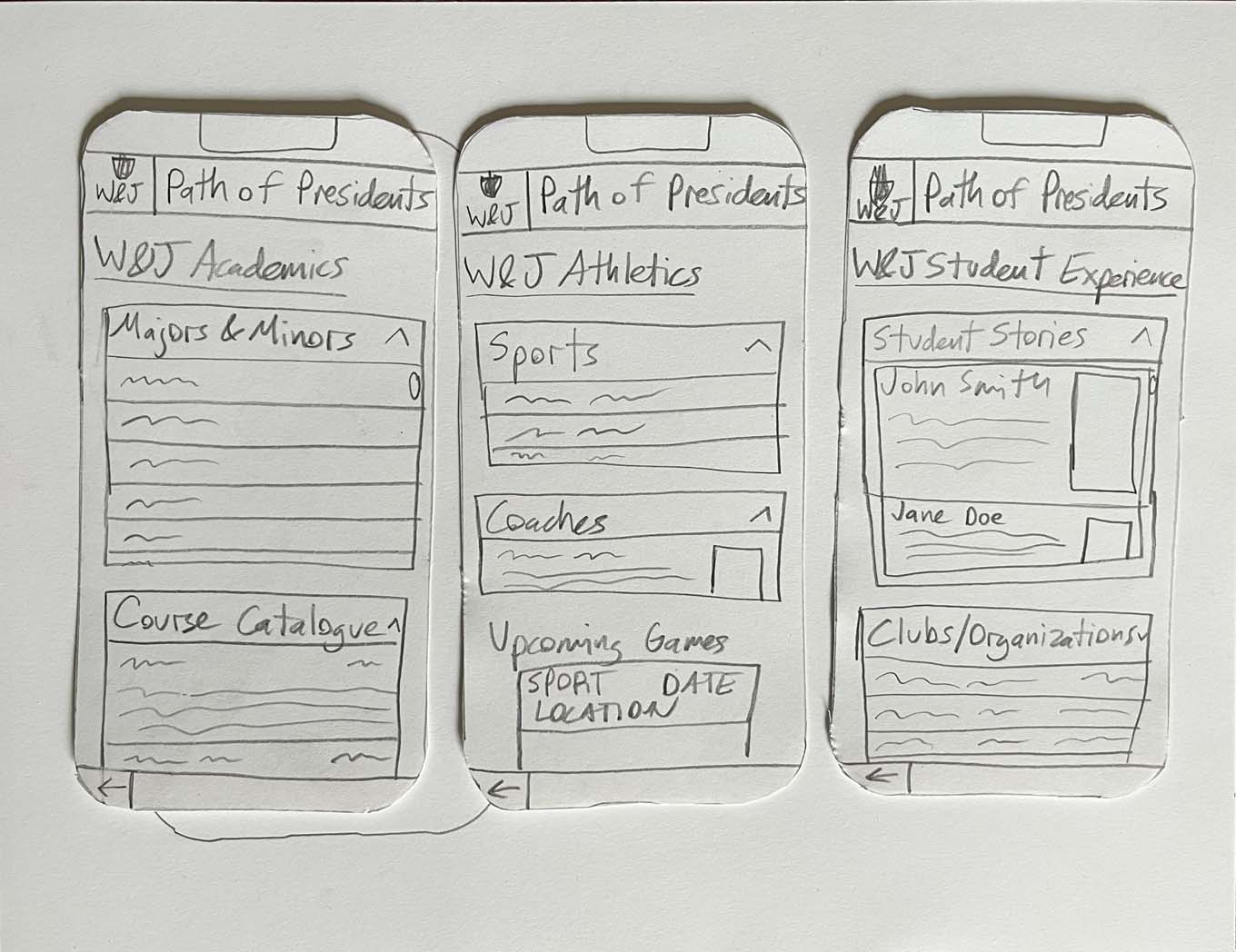
The gallery below shows images of the paper prototype my partner and I created for usability testing. During testing, my partner gave the user prompts to do certain actions. When the user interacted with the prototype, I would then respond by placing another “screen” in front of them that would represent what the design would do in a digital setting.
The data we gathered from testing was very informative in how we decided to design the digital prototype as it showed us what worked and what didn’t work. Improving the clarity of certain buttons and the repositioning of some elements were the biggest pieces of feedback that informed us going forward.
Axure Prototype
By clicking the button below, you will be led to the digital prototype I created in Axure for this project. It provides just enough functionality to give someone a sense of how the app would work if fully developed. My partner and I decided to have three different modes in the app: pre-visit, during-visit, and post-visit. We did this as a solution to not overcrowd the home screen with too much information that would be not be useful when at a certain part of the college visit process. To switch between these modes, there are small buttons on the bottom right or left to take you between each.